
| License | LGPL-3 |
| Website | https://truongvandung.com |
| Also available in version |
POS Studio
Customize POS screen on the fly without any technical knowledge.
Version 19.0Key Features
Theme Customization
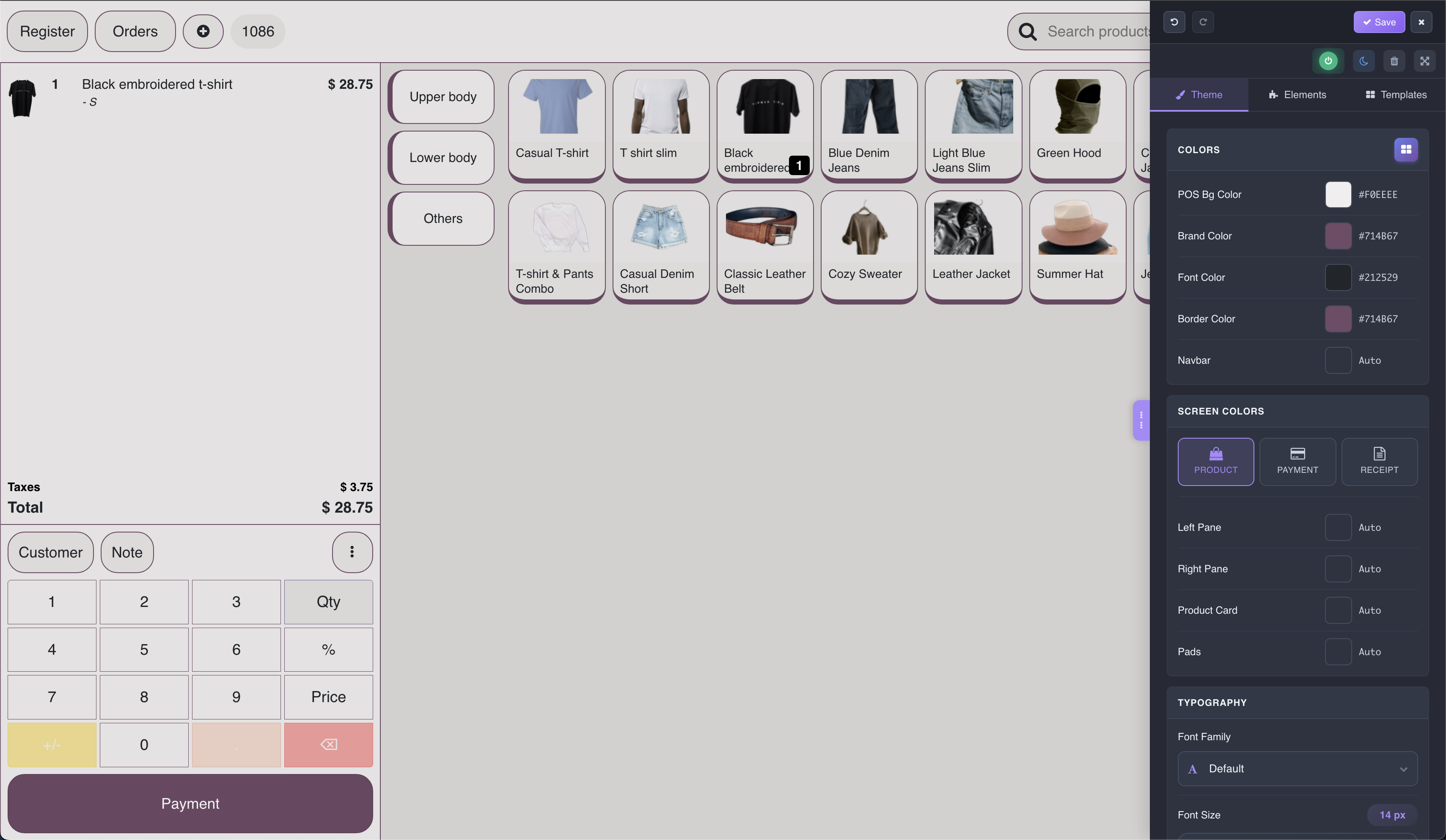
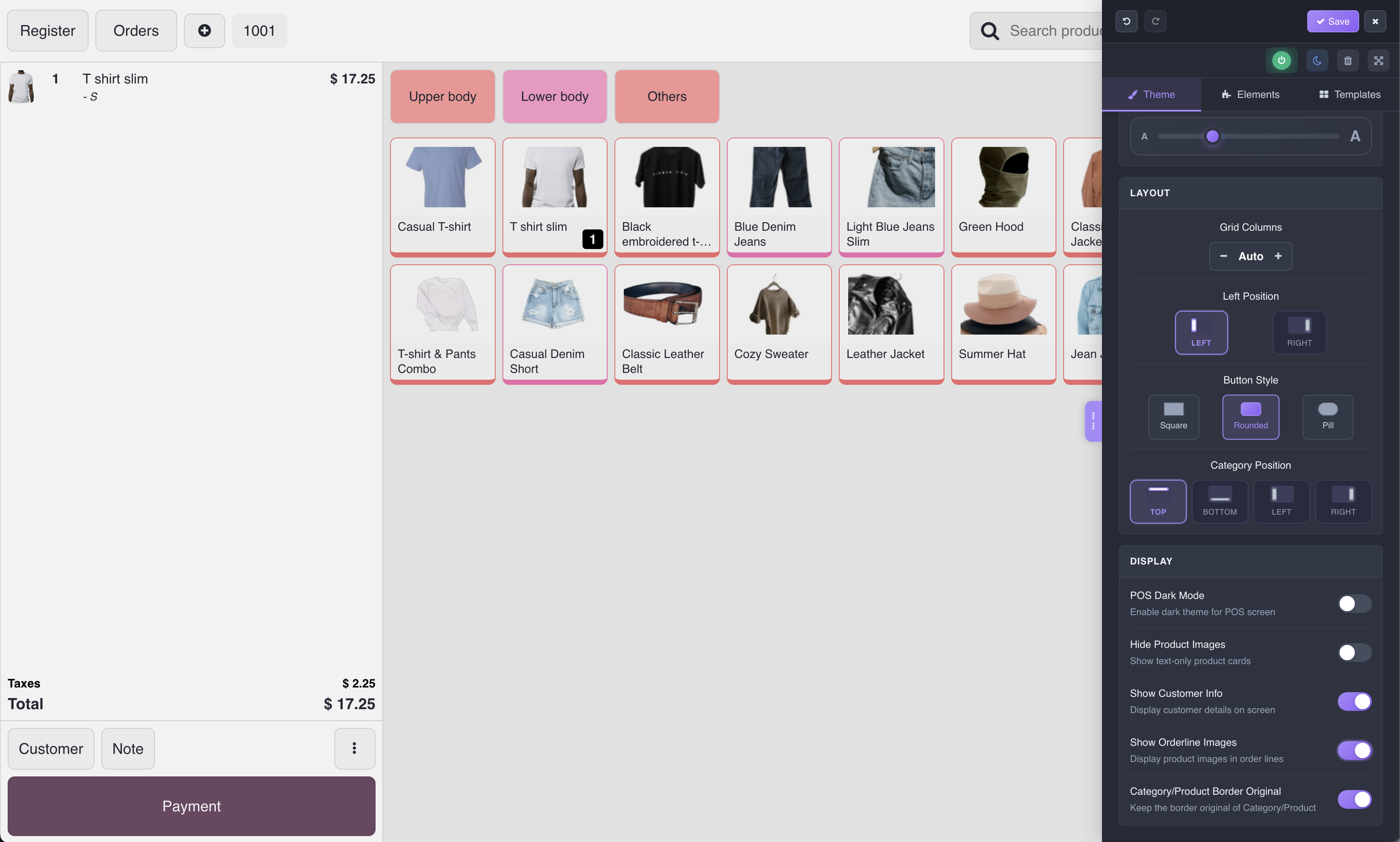
Customize colors, fonts, and layout. Apply dark mode, change button styles, adjust product grid columns.
Element Picker
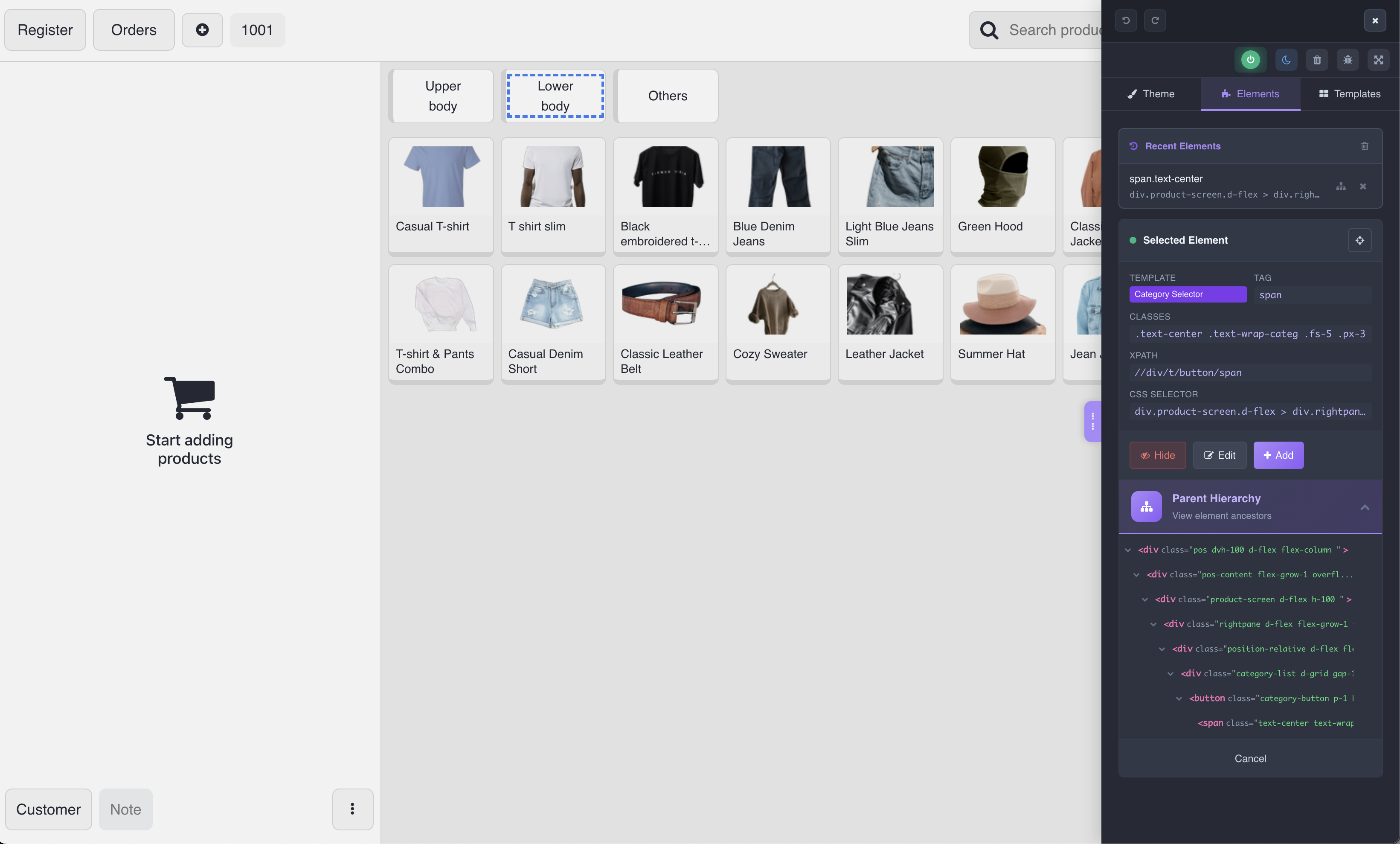
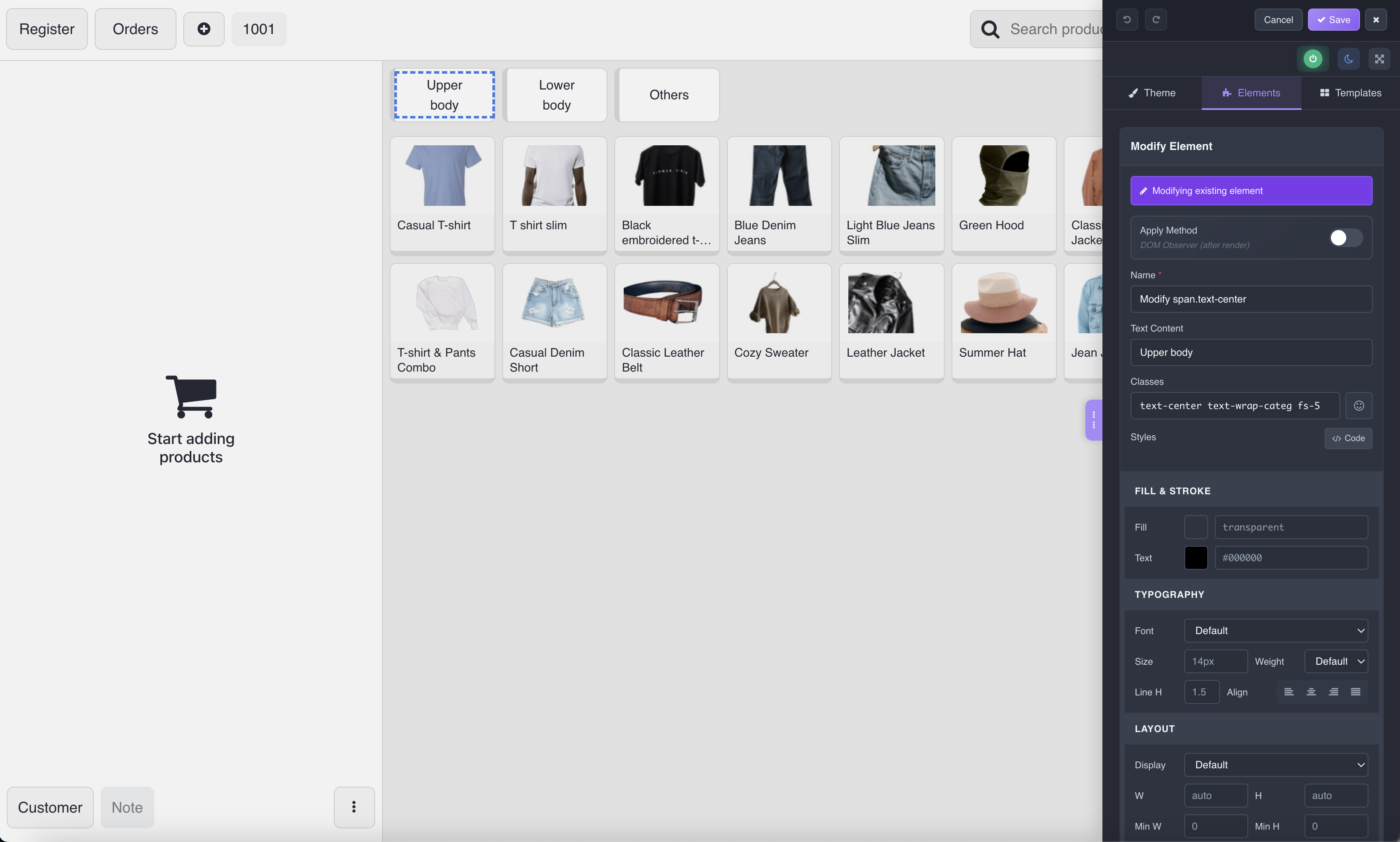
Click any element on POS screen to select and edit. Visual highlighting shows what you're selecting.
Visual Editor
Edit text, classes, styles, and OWL directives. CSS editor for typography, spacing, borders, and more.
Live Preview
See your changes in real-time before saving. No need to refresh or reload the page.
History & Undo
Track all changes with history snapshots. Easily revert to any previous state.
Per-Terminal Config
Each POS terminal can have its own theme and customizations. Perfect for multi-location setups.
Templates Support
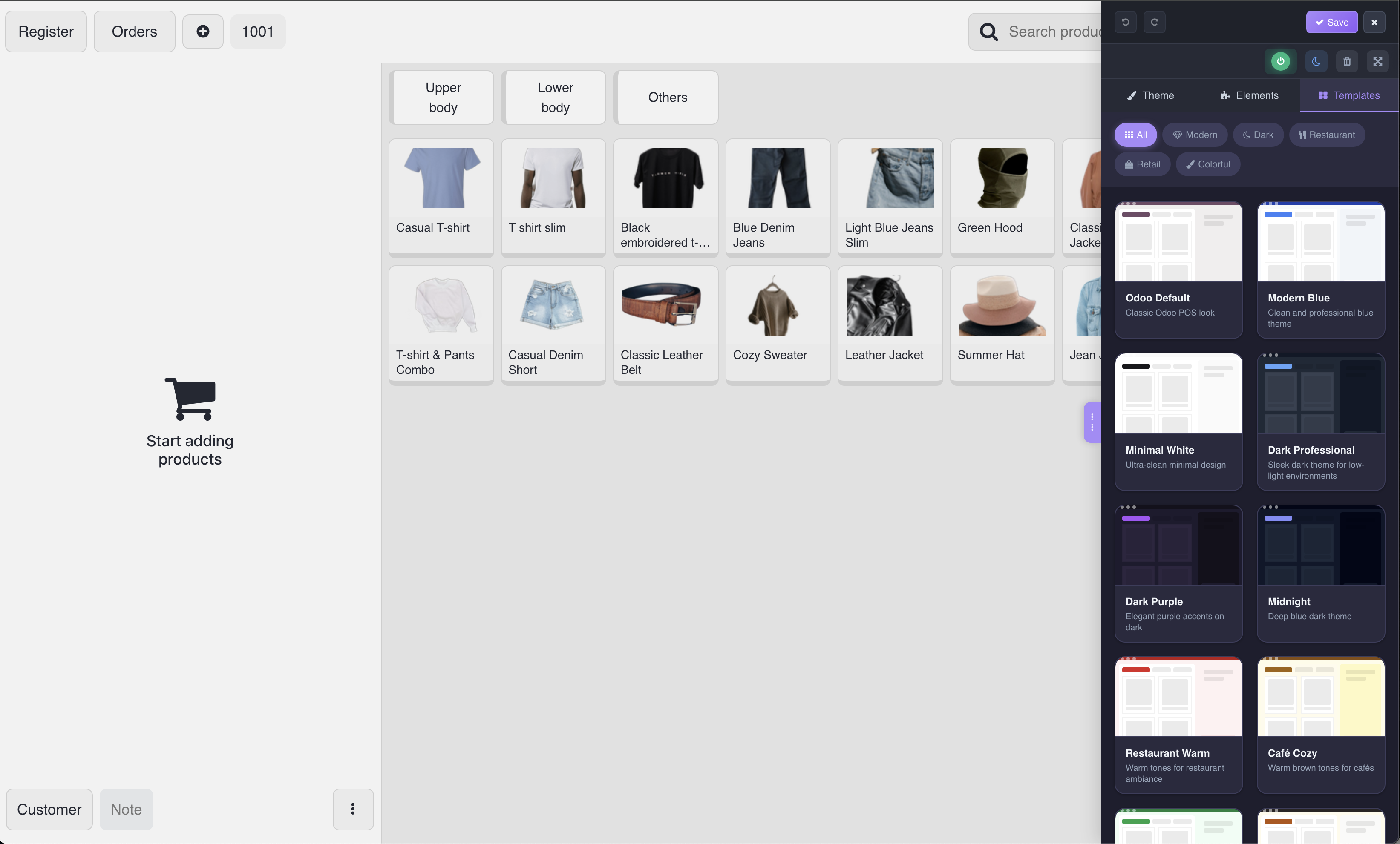
Many pre-set templates available. Just one click to apply a completely new look to your POS.
Color Presets
Choose from beautiful color presets or create your own. Instantly change the entire POS color scheme.
Dark Mode
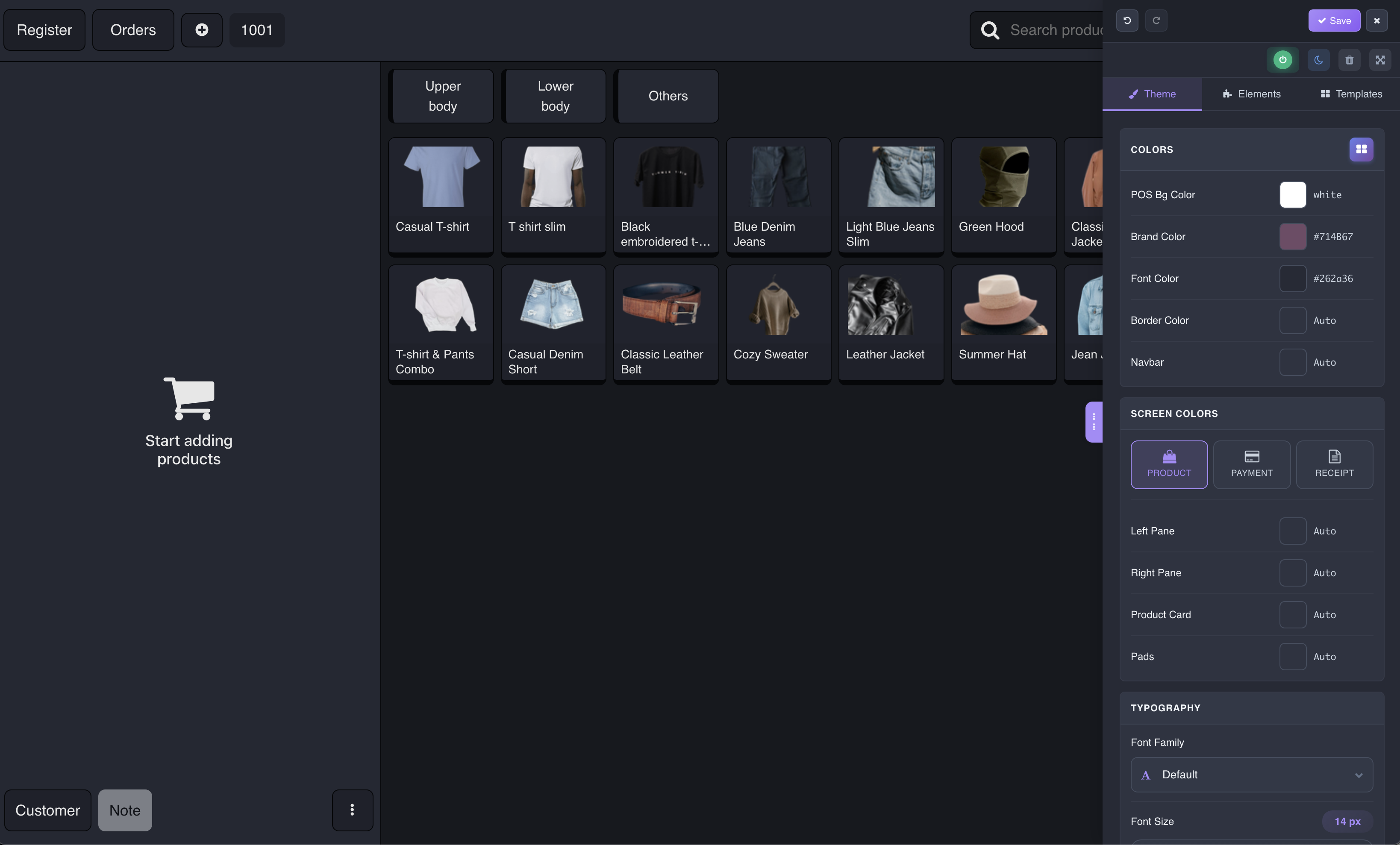
Easy on the eyes with built-in dark mode support. Perfect for low-light environments and night shifts.
How It Works
Open Studio Panel
Click the Studio button in the POS navbar to open the customization panel.
Pick or Browse Elements
Use the Element Picker to click any element or browse the Parent Hierarchy tree.
Customize with Live Preview
Edit text, classes, styles. Changes are previewed instantly on the POS screen.
Save and Apply
Click Save to persist changes. They apply automatically when POS loads.
Screenshots
Technical Details
Compatibility
Odoo 19.0
Framework
OWL
License
LGPL-3
Type
Extension
Requirements
Contact & Support
Get Started in Minutes
Install POS Studio and start customizing your Point of Sale interface today.
LGPL Version 3
This software and associated files (the "Software") may only be used (executed,
modified, executed after modifications) if you have purchased a valid license
from the authors, typically via Odoo Apps, or if you have received a written
agreement from the authors of the Software (see the COPYRIGHT file).
You may develop Odoo modules that use the Software as a library (typically
by depending on it, importing it and using its resources), but without copying
any source code or material from the Software. You may distribute those
modules under the license of your choice, provided that this license is
compatible with the terms of the Odoo Proprietary License (For example:
LGPL, MIT, or proprietary licenses similar to this one).
It is forbidden to publish, distribute, sublicense, or sell copies of the Software
or modified copies of the Software.
The above copyright notice and this permission notice must be included in all
copies or substantial portions of the Software.
THE SOFTWARE IS PROVIDED "AS IS", WITHOUT WARRANTY OF ANY KIND, EXPRESS OR
IMPLIED, INCLUDING BUT NOT LIMITED TO THE WARRANTIES OF MERCHANTABILITY,
FITNESS FOR A PARTICULAR PURPOSE AND NONINFRINGEMENT.
IN NO EVENT SHALL THE AUTHORS OR COPYRIGHT HOLDERS BE LIABLE FOR ANY CLAIM,
DAMAGES OR OTHER LIABILITY, WHETHER IN AN ACTION OF CONTRACT, TORT OR OTHERWISE,
ARISING FROM, OUT OF OR IN CONNECTION WITH THE SOFTWARE OR THE USE OR OTHER
DEALINGS IN THE SOFTWARE.